 |
| Site Admin |
Joined: Wed Sep 28, 2011 11:00 am
Posts: 354
|
iForgeAhead includes three ways to add charges to an invoice on the full-screen side ... copying a prior invoice, adding charges one at a time using the Plus button, and now the Checklist.
The Checklist allows you to quickly enter multiple charges for the same horse.
The mobile side already has the checklist in place, but it has been updated so that you can now edit the Quantity and Adjustment fields in the checklist on the mobile side. (see picture below) This tutoral provides details on using the Checklist: http://www.iforgeahead.com/ViewerIFA.aspx?vidURL=http://www.youtube.com/embed/8ToAu29tjUg&rel=0
| Attachments: |
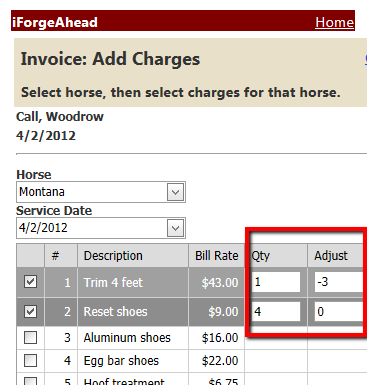
InvMobileChecklist.png [ 23.54 KiB | Viewed 14223 times ]
|
_________________
Julie Schwalm
iForgeAhead
|
|


