|
Two new options have been added to the Schedule Settings:
First, you can format the Appointment Bar that is displayed in the schedule grid to include the first 25 characters of the appointment Note. This will be helpful if the note field contains information that you want to see when looking at the schedule, so that you don't have to open the appointment in order to see the note.
Second, you can set the default view (week, day, month, etc.) for the schedule, on both the full-screen and mobile side of iForgeAhead. The default view will be used whenever you first access the schedule.
Both of these options can be set on the full-screen side, by clicking on the Settings menu and then clicking Settings for Scheduling.
The screen shots below display the settings section for each option.
| Attachments: |
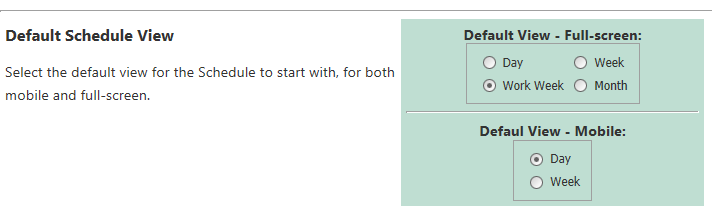
Sched_DefaultViews.png [ 16.91 KiB | Viewed 14274 times ]
|
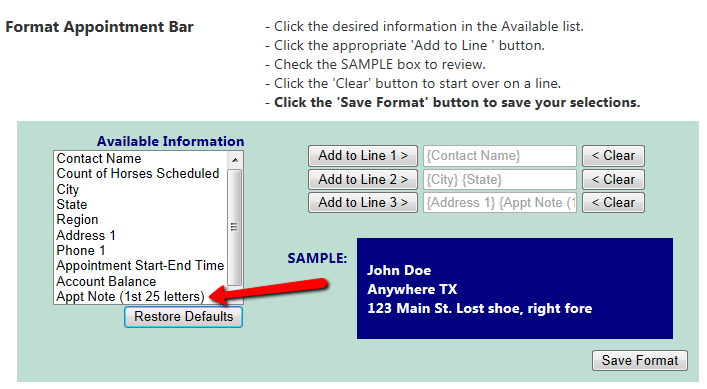
ApptBar_ApptNote.png [ 51.51 KiB | Viewed 14274 times ]
|
_________________
Julie Schwalm
iForgeAhead
|


