|
The ability to auto-include the next appointment date and time on an invoice has been added into iForgeAhead.
When previewing an invoice, see the Format Settings section of the Action Panel (see screen shot below). There's a new option called "Show Next Appointment". If this is checked, the system will add information about the next appointment to the invoice, below the Invoice Note.
Your format options are saved to the system so you don't need to set them for each invoice.
Please let me know how this feature works for you or if you have any questions.
| Attachments: |
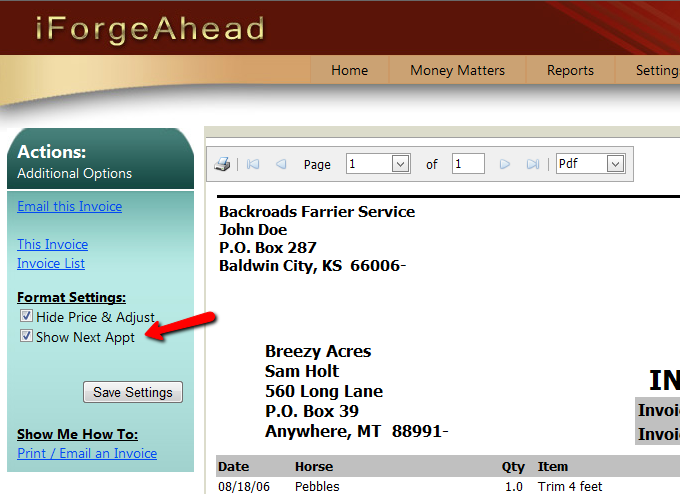
InvFormatSettings.png [ 87.52 KiB | Viewed 13455 times ]
|
_________________
Julie Schwalm
iForgeAhead
|


